How to Change Your Georgia Driver’s License Address Online
After a move, updating your Georgia driver’s license address is easy to overlook. The online option can save a trip to a Georgia Department of Driver Services customer center, but changing your address does not automatically update every record or guarantee a new card will arrive. Here’s how to approach the online process, what to check before starting, and what to do if DDS sends you in person.
What an online address change does
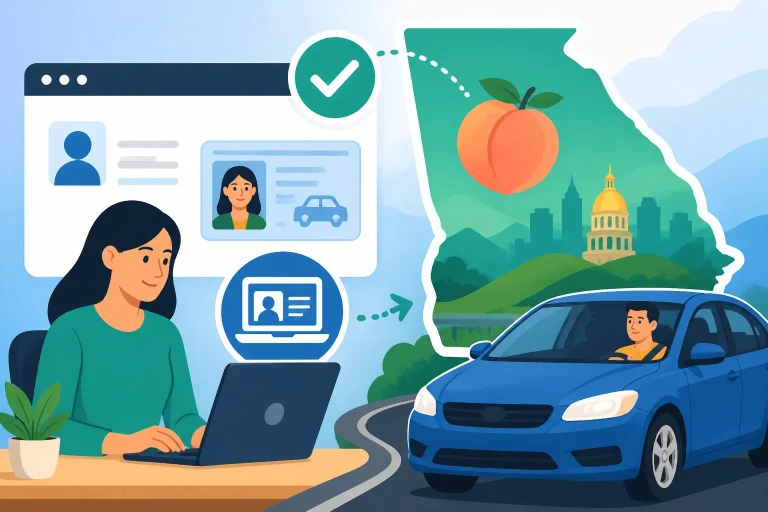
Georgia DDS provides online services for eligible drivers to update address information. The online transaction is meant for your driver’s license record; it is separate from changing the address on vehicle registration, insurance, voter registration, or other accounts.
Georgia generally requires drivers to notify DDS when their address changes within a set period. The commonly stated deadline is 60 days, but confirm the current requirement and transaction instructions with DDS, especially if your move involves a change in legal name, immigration status, or license class.
An address update can help keep your record current and ensure that future notices or credentials go to the right place. It is not the same as forwarding mail through the postal service. A postal change of address does not update DDS records, and an update with DDS does not change your address with the county office that handles vehicle registration.
| Task | Where to handle it | What to keep in mind |
|---|---|---|
| Update the address on your driver’s license record | Georgia DDS online services, if eligible | Follow the transaction prompts and save the confirmation |
| Request a card showing the new address | As directed during the DDS transaction | An address update and a replacement card may be separate steps |
| Change the address on vehicle registration | The Georgia county tag office or applicable state vehicle service | A driver’s license update does not automatically update vehicle records |
| Change where postal mail is forwarded | The postal service | Mail forwarding does not change government records |
| Update your address with an insurer or employer | The relevant company or organization | These accounts are independent of DDS |
If you recently moved within Georgia, you may also want to review Moving Within Georgia: Changing Your Address on Your Card. For a new Georgia resident transferring a license from another state, the process is different; see New Residents Must Transfer Their Driver’s License in 30 Days.
How to change your Georgia driver’s license address online
The wording and layout of DDS online services can change. Use the official Georgia DDS service and follow the address-change transaction shown there rather than relying on an old screenshot or instructions from another transaction type.
Before you start
Gather the information you are likely to need so you can complete the session without guessing:
- Your current Georgia driver’s license or identification card details
- Your date of birth and other identity information requested by the system
- Your new residential address, entered in the format requested
- A separate mailing address, if the service asks for one and it differs from where you live
- Access to any verification method the system requires
- A way to save or print the confirmation at the end
Use the address where you actually reside for the residential-address field. If the form separately asks where to mail correspondence or a card, answer that field according to its instructions. Do not assume that a P.O. box can be used in place of a residential address. DDS may distinguish between residential and mailing information, and the service’s current instructions control.
If you have recently changed your legal name as well as your address, check whether DDS allows both changes in one transaction. A name update can require documentation or an in-person visit. The process is covered in How to Change Your Legal Name on a Georgia Driver’s License.
The online process
In general, the transaction follows this pattern:
- Open the official DDS online services. Choose the address-change option, not a vehicle-registration or county tag-office service.
- Identify yourself. Enter the requested license and personal details carefully. Use the information associated with your current DDS record.
- Enter the new address. Check apartment, unit, directional, and ZIP code details before continuing. Small differences can cause a record mismatch or mail-delivery problem.
- Review any eligibility or verification questions. Answer accurately. If the site cannot verify you or says your transaction must be handled in person, do not try to work around the restriction by changing details.
- Check whether a card is included. Read the final transaction summary. An address update may change your record without necessarily meaning a new physical card is being issued.
- Submit and save the confirmation. Keep the receipt, confirmation number, or other proof displayed by the system. Note the date you completed the change.
- Check your record later if needed. Use DDS’s official services or follow the confirmation instructions to verify that the change was recorded.
If the online service presents different steps than expected, follow the live instructions. Do not submit a second transaction simply because the page took time to load. First check for a confirmation or transaction history to avoid duplicate requests.
A detailed online walkthrough may also be useful: Updating Your License Address via DDS Online Services and Updating Your Georgia Driver’s License Address via the Web.
Does the address change give you a new license card?
Not necessarily. Updating the address in your DDS record and receiving a physical card with the new address are related but distinct questions. Read the transaction summary before submitting, and do not assume a new card will be mailed unless the service says that one is included or you complete the required card-replacement step.
If you want a card showing your new address, check the DDS instructions for whether a replacement is available online and whether your license type and record qualify. The current process may require a separate transaction. Any card cost, delivery expectation, or eligibility condition can change, so confirm it with DDS before you submit or pay.
Keep your old card unless DDS tells you to surrender it or the transaction instructions say it is no longer valid. If you receive a temporary credential or receipt, follow its terms and keep it with you as directed. Do not treat a transaction confirmation as a replacement for a valid license unless DDS explicitly identifies it as a temporary credential.
If you need both an address change and a new card, see Combined Address Change and Card Replacement Through Georgia DDS. If your card is missing, the issue is not only the address; Lost Georgia License After Moving: Replacing It With Your New Address explains the related replacement problem.
Allow for processing and mail
An online submission is not the same as proof that a card has been printed or mailed. Keep the confirmation and check any status information DDS provides. If a card is part of your transaction and does not arrive within the time DDS specifies, use the official instructions for checking on it rather than immediately submitting another replacement request.
Make sure the address you entered can receive mail. If you use a different mailing address, confirm that the transaction permits it and that you entered it in the correct field. If the card is returned or sent to an old address, the resolution may take longer than a straightforward update.
When you may not be able to change your address online
The online service is convenient, but it is not available for every driver or every record. DDS may require an in-person transaction when it cannot verify your identity or when your record needs attention that the online system cannot resolve. The system’s message is a useful clue, not an invitation to repeatedly try different combinations of personal information.
Possible reasons an online transaction may be unavailable include:
- A mismatch between the details you entered and your DDS record
- A license or credential status that does not qualify for the online transaction
- A recent change or another transaction that affects eligibility
- A name, identity, or documentation issue that needs review
- A record restriction or unresolved issue that must be handled directly with DDS
- A technical problem with the online service
These are examples, not a complete list of DDS eligibility rules. The online system may show a specific reason or direct you to a customer center. Follow that direction and avoid creating a second record or changing personal details just to force the transaction through.
For common explanations and next steps, see Online Address Change Blocked by Georgia DDS: Common Reasons. If DDS directs you to a customer center, When Does Georgia DDS Require an In-Person Address Change? can help you prepare for that possibility.
What to do when the site rejects the information
First, check for ordinary entry mistakes:
- Confirm that your license number and birth date are typed correctly.
- Make sure the address fields are in the correct order.
- Check spelling, apartment number, ZIP code, and directional abbreviations.
- Use the name and personal details that match your current DDS record.
- Confirm that you are using a DDS service for driver credentials, not a county vehicle service.
- Try again later if the service appears to be temporarily unavailable.
If the details are correct and the system still refuses the transaction, stop rather than making repeated attempts. Save a screenshot or note the exact message, without sharing sensitive personal information publicly. Then use DDS’s official support or customer-center instructions to find out whether you need to correct a record issue, provide documentation, or complete the change in person.
What to prepare if DDS requires an in-person visit
An in-person visit may be necessary if the online service cannot process your record. Before going, check the latest DDS instructions for the documents required for your specific situation. Requirements can differ depending on whether the issue concerns identity, residency, legal name, immigration documentation, or another record detail.
For a straightforward address question, be prepared to show that the new address is accurate if DDS asks for supporting documents. The accepted documents and how they must be presented can depend on the transaction. Review Georgia DDS Residency Proof: Accepted Documents and Rules before assembling paperwork. If your move also involves an identity-document issue, check the agency’s instructions rather than assuming that one proof document covers every requirement.
A practical preparation list:
- Your current Georgia license or other requested identification
- Documents DDS specifically asks you to bring
- Proof of your new residence, if required for your transaction
- Any official notice or error message from the online service
- A way to pay if DDS says the transaction or card replacement has a charge
- Your new address written clearly, including unit number where applicable
Do not rely on an old checklist if DDS’s current instructions differ. Use the official DDS office locator to find a customer center and check its current hours before traveling. This site is independent and does not schedule the visit or process your address change.
If you are changing your address as part of moving to Georgia from another state, do not use an ordinary in-state address-change transaction as a substitute for transferring your credential. The out-of-state transfer has its own requirements, and you may need to visit DDS. See Transferring an Out-of-State License Requires In-Person DDS Trip for the distinction.
Avoiding common address-change mistakes
The online transaction itself may take only a short time, but errors can create delays or leave another record unchanged. A few checks before and after submitting can prevent the most common problems.
Entering a mailing address as a residence
If DDS asks for both a residential address and a mailing address, treat them as separate fields. A mailing address is where correspondence can be delivered; a residential address identifies where you live. Do not enter a P.O. box as a residential address unless the official instructions explicitly allow it. If you are unsure how to report a temporary living arrangement, ask DDS how it wants that situation recorded.
Assuming the county tag office updates your license
Georgia driver licensing and vehicle registration are handled through different systems. A county tag office transaction does not automatically update your DDS driver’s license record, and an online DDS address change does not necessarily update vehicle registration.
If you have a car, update its registration address separately with the appropriate vehicle service. Georgia DDS vs. County Tag Office: Where to Transfer Your License explains which agency handles which kind of transaction. For vehicle records, use the county tag office or official state vehicle services as directed.
Assuming the post office or insurer will notify DDS
Mail forwarding, bank records, employer records, insurance policies, and DDS records are separate. Updating one does not reliably update the others. Make a short checklist of the organizations that need your new address, then handle each with its own official service.
Your auto insurer should have the correct garaging and mailing information for your policy. Do not assume an address update to your license changes your insurance record or vehicle registration.
Forgetting to keep confirmation
A confirmation is useful if you need to show when you submitted the transaction or explain a later discrepancy. Save it somewhere accessible, and record the date. If the service gives you a reference number, keep that too.
A screenshot should be stored privately because it may include personal information. Do not post a license number, confirmation number, or full address on social media or in a public support forum.
Ordering a duplicate card without checking first
If your only goal is to correct the address in your record, a card replacement may not be necessary. If you need a card that displays the new address, confirm whether DDS requires a separate replacement step. Checking first can help you avoid a duplicate request or a payment for a transaction you did not intend.
Waiting until a card or notice goes missing
Keeping the DDS record current reduces the chance that important correspondence will be sent to an old address. If you discover the move well after it happened, update the record as soon as possible and follow the current DDS instructions. Do not assume that updating now resolves every missed notice or deadline; ask the agency about any notice that may have been sent to your prior address.
Frequently Asked Questions
Can I change my Georgia driver’s license address online?
Eligible drivers can use Georgia DDS online services for an address change. The system may require in-person service if it cannot verify the record or the transaction does not qualify. Follow the instructions shown by the official DDS service.
Does changing my address online automatically send a new license?
Not always. Check the transaction summary to see whether it includes a new physical card or only updates the DDS record. If you want a card showing the new address, confirm whether a separate replacement transaction is required.
Does a Georgia DDS address change update my car registration?
No. A driver’s license address update and a vehicle registration address update are separate tasks. Handle vehicle records through the appropriate county or official state vehicle service.
What if DDS will not accept my online address change?
Check that your personal details and address are entered correctly. If the information is accurate and the transaction still fails, save the message and follow DDS’s instructions for support or an in-person visit. Do not repeatedly submit the transaction or alter your information to bypass a restriction.
What if I moved to Georgia from another state?
A new resident generally needs to transfer an out-of-state credential, not simply change the address on a Georgia license. Review the transfer requirements and contact DDS through its official channels for instructions that fit your situation.
Disclaimer
This article is for general informational purposes only and does not constitute professional advice. Laws, prices and regulations vary by location and change over time. Consult a qualified professional for guidance on your specific situation. Georgia Driver Guide is not a government agency and is not affiliated with any state motor vehicle department.