Georgia DDS vs. County Tag Office: Where to Transfer Your License
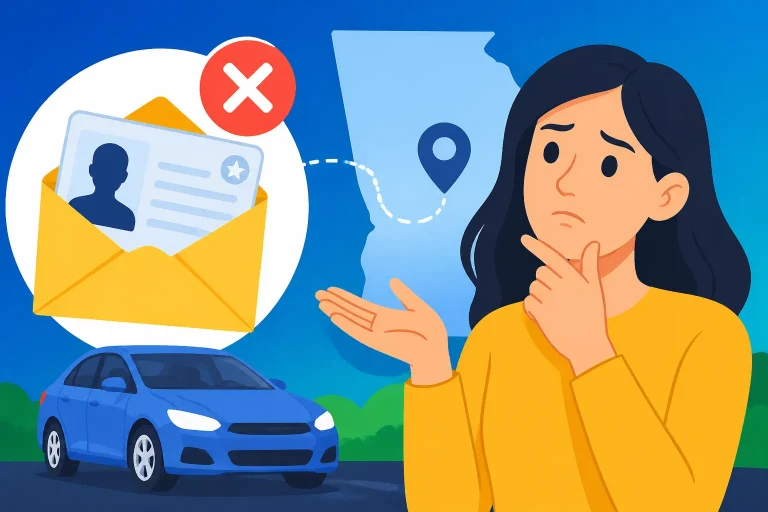
If you’re moving to Georgia, it can be easy to confuse driver services with vehicle registration services. The distinction matters: an out-of-state driver’s license transfer belongs at Georgia DDS, not a county tag office. Here’s how to choose the right place, prepare for the visit, and avoid making a trip for the wrong transaction.
The short answer: transfer your license at Georgia DDS
Georgia DDS handles out-of-state driver’s license transfers—not the county tag office. According to the Georgia Department of Driver Services, you’ll need to visit a DDS Customer Service Center. The county tag office is not the place to transfer your driver’s license.
That remains true even if you have other Georgia vehicle or registration tasks to handle. A driver’s license is a driver credential; vehicle paperwork is a separate kind of transaction. If you need both, identify which agency handles each task rather than assuming one office can do everything.
The name can add to the confusion. Georgia’s new driver’s licenses are issued by the Georgia Department of Driver Services rather than a DMV. So if you’re searching for a “Georgia DMV,” use the official Georgia DDS information to find the driver-services process and the appropriate customer center.
| What you need to do | Where to start |
|---|---|
| Transfer an out-of-state driver’s license to Georgia | Georgia DDS at a DDS Customer Service Center |
| Handle a vehicle registration or tag-related task | Check the appropriate county tag office process |
| Complete both driver and vehicle transactions | Treat them as separate tasks and confirm the location for each |
For the license transfer itself, begin with Transferring an Out-of-State License to Georgia: Required Paperwork. If you are still sorting out which credentials can transfer, Moving to Georgia: Which Out-of-State Credentials Transfer to DDS? can help you focus on the driver-services question.
The practical takeaway is simple: go to Georgia DDS for the license transfer. Don’t make a county tag office your first stop for that transaction, and don’t assume that completing vehicle paperwork there will also transfer your driver credential.
Why the two offices are easy to confuse
People often use “DMV” as a general term for anything involving a state driver’s license, license plate, title, or registration. But Georgia separates driver licensing from vehicle-related transactions. A moving checklist may include both, so it can feel as if they belong together. For choosing where to transfer a license, however, the important distinction is who issues and handles the driver credential.
The Georgia Department of Driver Services issues Georgia driver’s licenses. A county tag office is not a substitute for the DDS Customer Service Center when the task is transferring an out-of-state driver’s license. The fact that both offices may appear in a broader moving or vehicle checklist does not make their responsibilities interchangeable.
A common example is someone who has recently moved and is updating several records at once. They may need to address a driver’s license, a vehicle registration, and other personal or vehicle documents. Those tasks can be related to the same move, but they are not necessarily handled by the same office. Separate the checklist into driver-credential tasks and vehicle tasks before setting out.
The distinction also matters when you search for instructions. Information about plates, tags, titles, or registration may describe a county tag office process, but that does not tell you how to transfer a driver’s license. For the license, look for Georgia DDS instructions and the specific transfer process. For a vehicle transaction, confirm the agency or office named for that separate task.
If your move involves a license and a car, you may find it useful to plan them as two lines on your checklist:
- Driver credential: Confirm the Georgia DDS transfer process and visit a DDS Customer Service Center.
- Vehicle paperwork: Confirm which county tag office or official vehicle-service process applies to the specific transaction.
- Shared documents or timing: Check the official instructions for each task separately instead of assuming one office’s requirements apply to the other.
This approach avoids a frustrating detour. You can still arrange your tasks efficiently, but the first question should be “Which office handles this specific transaction?” rather than “Which office is closest to where I’ll be doing my other paperwork?”
How to prepare for the DDS visit
Once you know the transfer belongs at Georgia DDS, use the official driver-services instructions to prepare. The basic destination is clear, but the precise documents and steps depend on the transfer situation. Don’t assume that a list for a different applicant, license type, or transaction will automatically fit yours.
Start with the specific transfer guidance for an out-of-state license. In-Person Document Checklist for an Out-of-State Transfer and Moving to Georgia: Checklist for Your First DDS Center Visit can help you organize the questions to check before leaving. If you need to confirm proof-of-residence documents, see Georgia DDS Residency Proof: Accepted Documents and Rules.
Before visiting, review the official instructions and make a short personal checklist:
- Confirm that your task is an out-of-state driver’s license transfer, not a vehicle registration or tag transaction.
- Check the current DDS instructions for the documents that apply to your situation.
- Confirm whether your particular credential and circumstances qualify for the transfer process you have in mind.
- Check the official DDS information for any testing, appointment, or other steps that may apply to your case.
- Use the official agency’s office locator to find a DDS Customer Service Center and confirm its current hours.
- Keep vehicle-related tasks on a separate checklist so you do not confuse their paperwork or destination with the license transfer.
These are preparation steps, not a substitute for the official requirements. Requirements can depend on the details of the credential and the applicant’s situation. If you are unsure which document category applies, check the DDS instructions before you travel rather than relying on a general moving checklist.
It also helps to bring the documents specified by the official instructions in an organized way. Keep originals and any other required materials together, and check that names and details are consistent across your paperwork. If there has been a name change, a change in immigration documentation, a lost credential, or another complication, look for instructions that specifically address that issue. A general out-of-state transfer page may not answer every special-case question.
Avoid treating a checklist from a friend, an old note, or a different transaction as definitive. Even if it sounds similar, a renewal, replacement, address update, and out-of-state transfer can have different requirements. Use transfer-specific instructions for the transfer itself.
A practical decision process before you leave
When you are unsure where to go, work through the task rather than relying on the label “DMV.” That small distinction can save time and prevent you from arriving at an office that does not handle the transaction.
- Name the transaction. Write down what you need: transfer an out-of-state driver’s license, renew a Georgia license, replace a card, or handle a vehicle registration task. Use the transaction name, not a broad phrase such as “DMV paperwork.”
- Identify whether it concerns a driver credential or a vehicle. If you are transferring a driver’s license, the responsible agency is Georgia DDS. If the task concerns a vehicle, check its specific official instructions separately.
- Find the matching official instructions. Start with the Georgia DDS information for an out-of-state transfer. Avoid applying rules from a different license service to your transfer.
- Check the document requirements for your situation. Review the current official checklist and resolve uncertainties before going.
- Choose the correct service location. For an out-of-state license transfer, visit a DDS Customer Service Center. Use the official agency’s office locator to identify a center and check current hours.
- Keep other errands separate. If you also need to complete a county tag office transaction, plan that as a different stop unless the official instructions for that specific task say otherwise.
This process is particularly useful if a moving checklist combines several tasks. For example, a note that says “update license and tags” is not specific enough to tell you where to go. Break it into the driver’s license transfer and the vehicle-related work, then confirm each destination.
If you discover that you have another kind of license issue, pause before assuming the transfer instructions apply. A lost out-of-state card, an expired credential, a name mismatch, or questions about a prior suspension can change which instructions are relevant. The right next step is to find the DDS guidance that matches that particular issue, not to take it to a county tag office and hope the office can resolve it.
For people moving with a household, this separation can also make planning easier. Each person may have a different license status or document situation, and the vehicle paperwork may belong to a different person or transaction. Keep each task tied to the person and credential it concerns. Then check the official requirements for each case instead of building one shared list that assumes everyone’s documents are the same.
Common mistakes to avoid
Going to a county tag office for the license transfer
This is the central mistake. A county tag office is not where Georgia handles an out-of-state driver’s license transfer. The Georgia Department of Driver Services directs applicants to a DDS Customer Service Center for that transaction. If your purpose is transferring the license, make DDS your destination.
Searching only for “Georgia DMV”
“DMV” may be a familiar shorthand, but Georgia issues new driver’s licenses through the Georgia Department of Driver Services. Searching broadly can lead you to information for a different transaction or an outdated assumption about which office handles the work. Search for the specific Georgia DDS transfer process instead.
Combining the license and vehicle tasks into one transaction
Moving can create a cluster of errands, but that does not mean they all happen at the same counter. If you need to transfer a license and handle vehicle paperwork, verify each task separately. The transfer belongs at DDS; check the official process for any separate vehicle-related task.
Relying on a generic document list
A list for a renewal or replacement may not be the right list for an out-of-state transfer. Likewise, a general moving checklist may not address a special circumstance. Use the transfer-specific DDS instructions and check any additional guidance that matches your situation.
Assuming all DDS centers have identical current details
The agency’s instructions establish that a DDS Customer Service Center is the correct type of location, but you should still check the official office locator for the center you plan to visit and its current hours. Don’t rely on a saved note or an old recollection for visit details.
Waiting until you are at the counter to sort out an unusual case
If your out-of-state credential is missing, has expired, or does not match other documents, look for DDS instructions that address that issue before you travel. Does Georgia DDS Keep Your Out-of-State Driver’s License? may help answer one transfer-related question. For other complications, use the relevant official guidance rather than assuming the standard process covers everything.
Treating an appointment or test question as settled without checking
The destination does not, by itself, answer every question about scheduling, tests, eligibility, or required paperwork. Check the current DDS instructions for the actual transfer and your circumstances. If a detail is not clear, confirm it through official DDS information before setting out.
Frequently Asked Questions
Can I transfer my out-of-state license at a county tag office?
No. Georgia DDS handles out-of-state driver’s license transfers. You’ll need to visit a DDS Customer Service Center.
Does Georgia have a DMV for driver’s license transfers?
Georgia’s new driver’s licenses are issued by the Georgia Department of Driver Services rather than a DMV. For an out-of-state transfer, follow the Georgia DDS process.
What if I need to handle vehicle paperwork too?
Treat the vehicle task as separate from the driver’s license transfer. Confirm the official process and location for that vehicle transaction, and visit a DDS Customer Service Center for the license transfer.
What should I bring to DDS?
Check the current Georgia DDS instructions for the out-of-state transfer and your specific circumstances. Use the transfer-specific checklist rather than relying on requirements for a renewal or another service.
How do I find the right DDS location?
Use the official agency’s office locator to find a DDS Customer Service Center and confirm its current hours before visiting.
Sources
- Georgia Department of Driver Services — Transfer Out-of-State Driver's License/ID (checked November 11, 2026)
- Georgia.gov — Moving to Georgia | Georgia.gov (checked November 11, 2026)
Disclaimer
This article is for general informational purposes only and does not constitute professional advice. Laws, prices and regulations vary by location and change over time. Consult a qualified professional for guidance on your specific situation. Georgia Driver Guide is not a government agency and is not affiliated with any state motor vehicle department.